
Liquid Chat for FiveM

Escrowed edition. Protected script files.

Released

Product details

F5 Liquid Chat

Liquid-glass roleplay chat — talk, act, whisper, radio.

Every RP channel in one chat
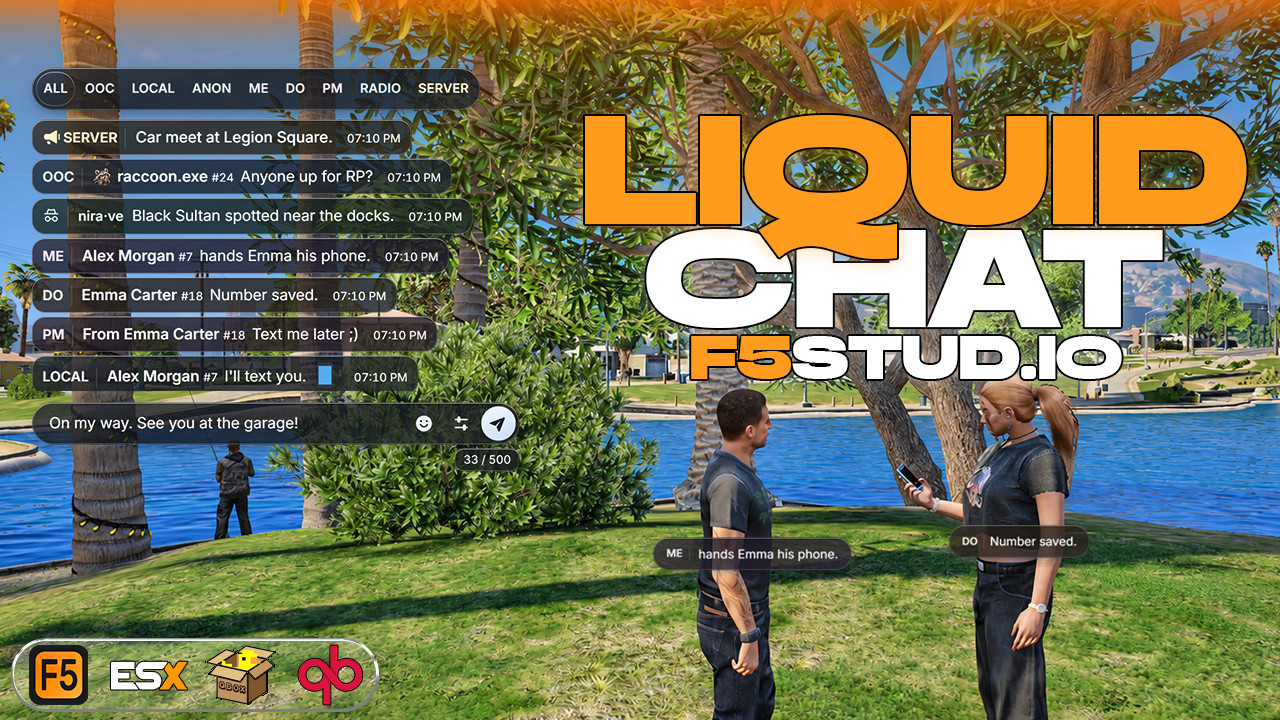
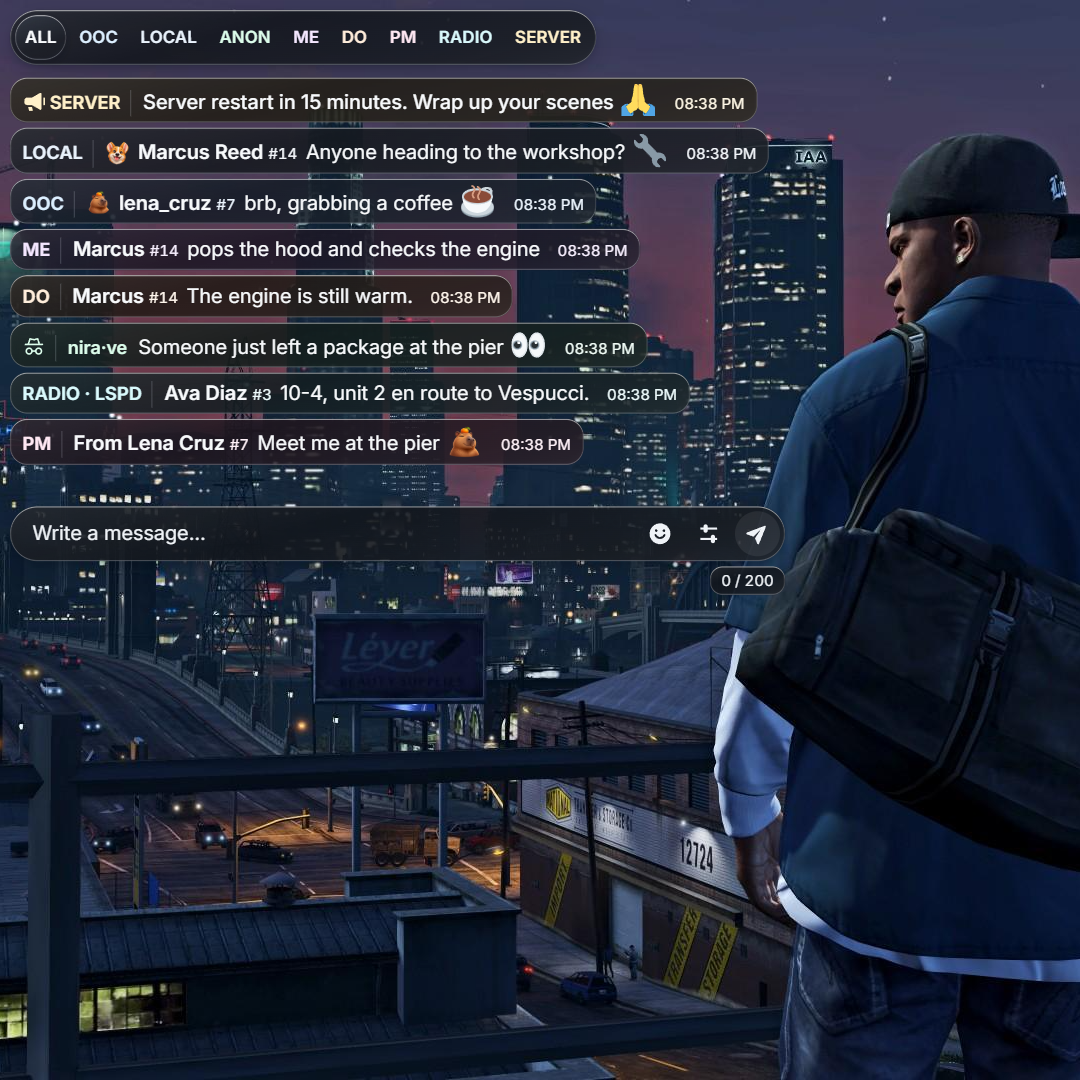
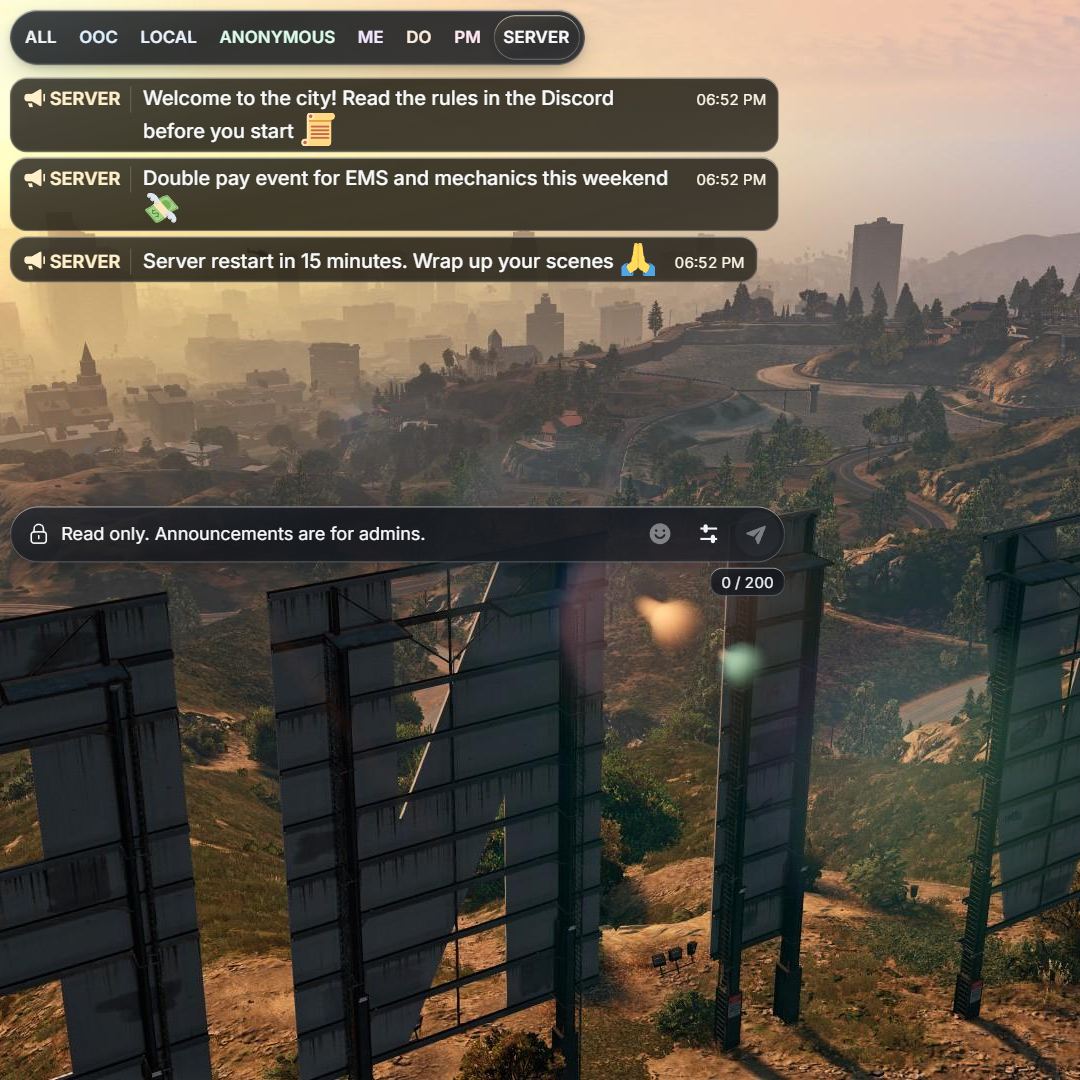
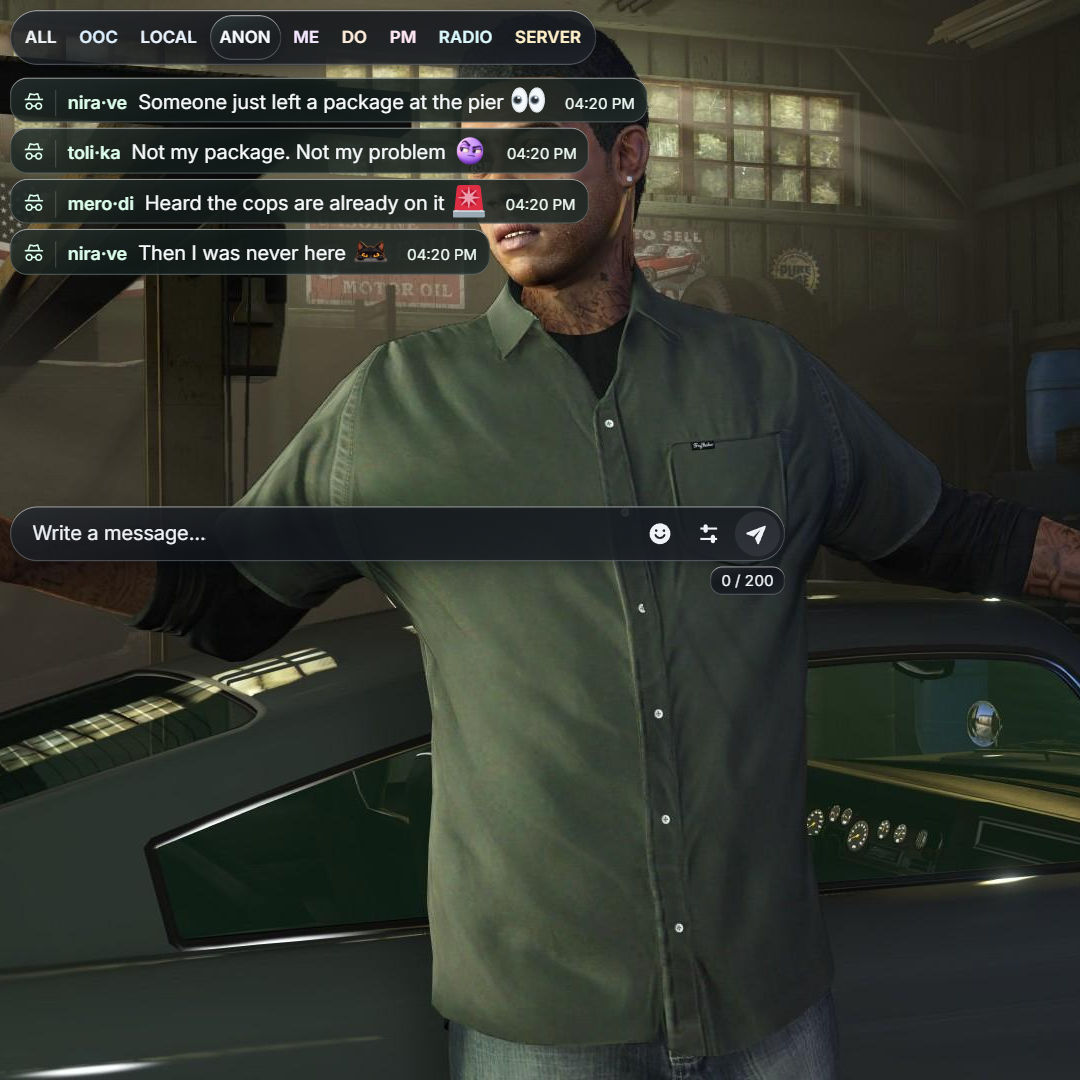
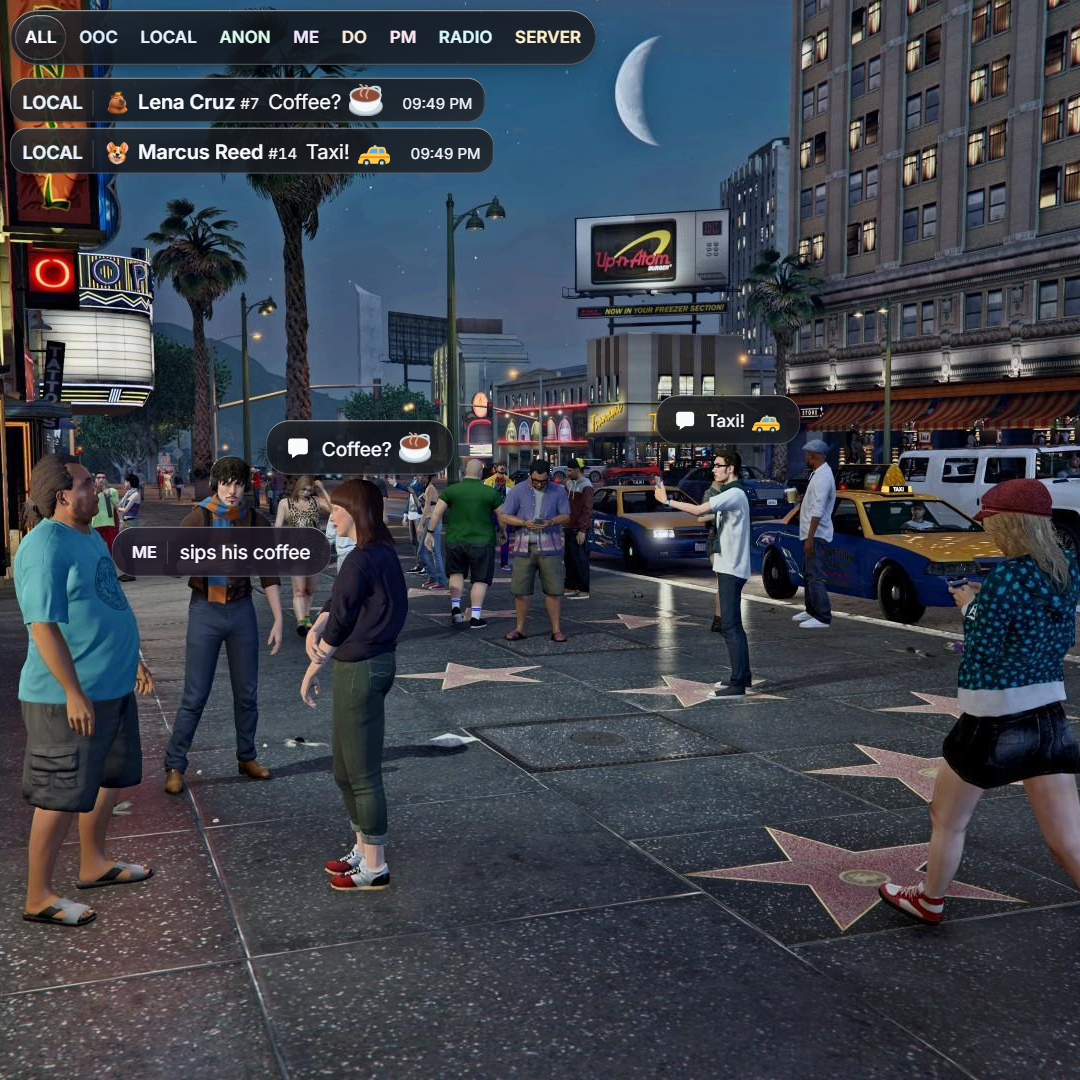
OOC, LOCAL, ANON, ME, DO, PM, RADIO and SERVER in one row of glass tabs.

Overhead bubbles
Local talk above the head, /me and /do on the torso, typing dots while someone writes.

Real liquid glass
The game refracts through every message, panel and tab — not a blurred rectangle.

Server-side enforced
Permissions, ranges, cooldowns, radio access — nothing the client can bypass.

What’s included

  • 9 tabs & unread dots — ALL, OOC, LOCAL, ANON, ME, DO, PM, RADIO, SERVER; switch off any channel you don’t need

  • Proximity & instances — configurable range for LOCAL, ME & DO; OOC & ANON stay inside the player’s instance

  • Overhead bubbles — stack size, duration, distance scaling & line of sight per channel; K toggles bubbles, L the whole chat

  • Anonymous channel — session aliases like nira·ve, the real sender kept in the staff logs

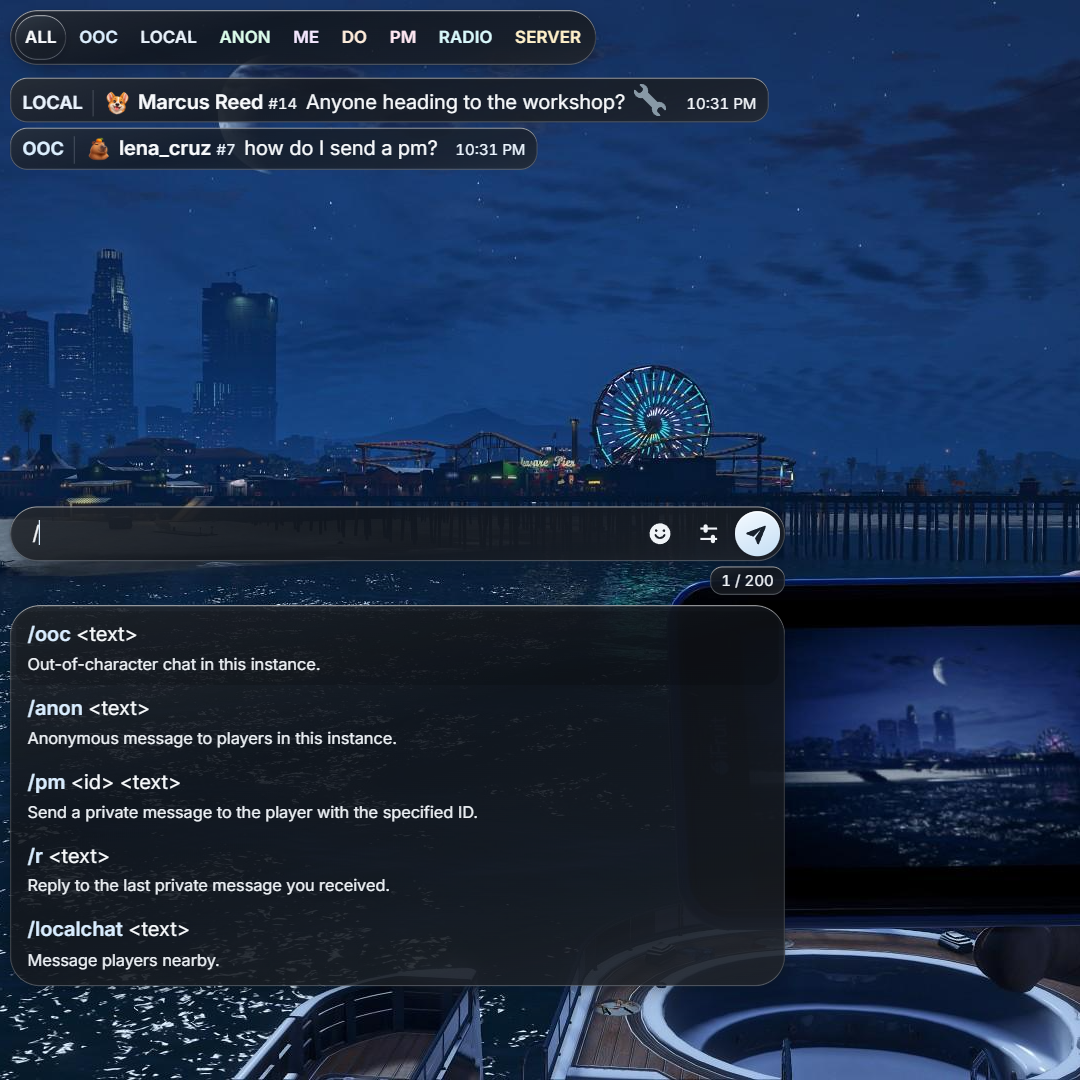
  • Private messages — /pm & /r across instances, character names, errors keep the draft

  • Group radio — jobs, gangs & factions, shared channels, minimum grade & on-duty requirement

  • Admin announcements — ACE-gated SERVER channel everyone can read, /clearall for the whole chat or one category

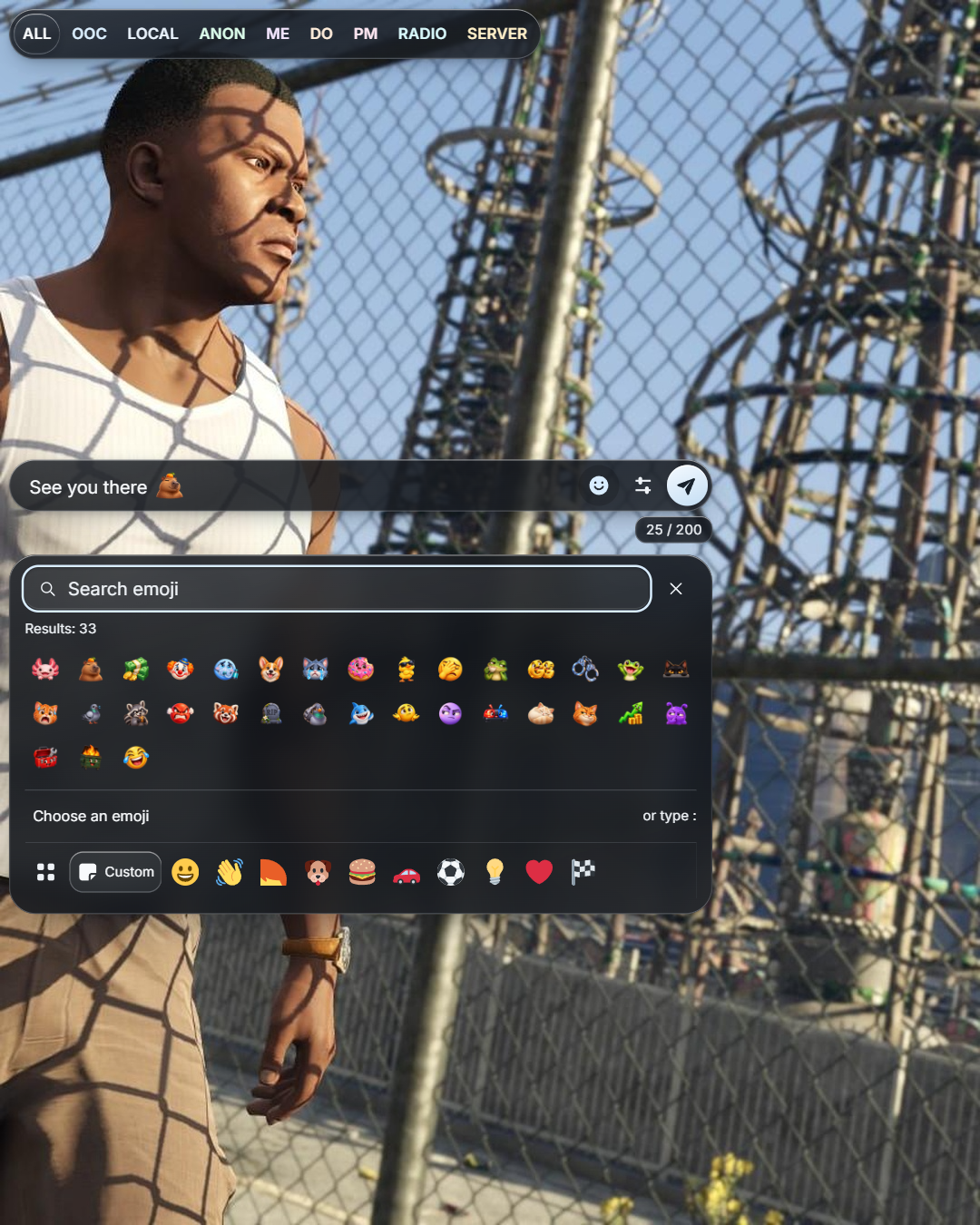
  • 3,953 emoji & custom emotes — searchable keyboard, :shortcodes, drop a .png, .webp or .gif to add a server emote

  • Command help — arguments & descriptions while typing /, including commands from your other resources

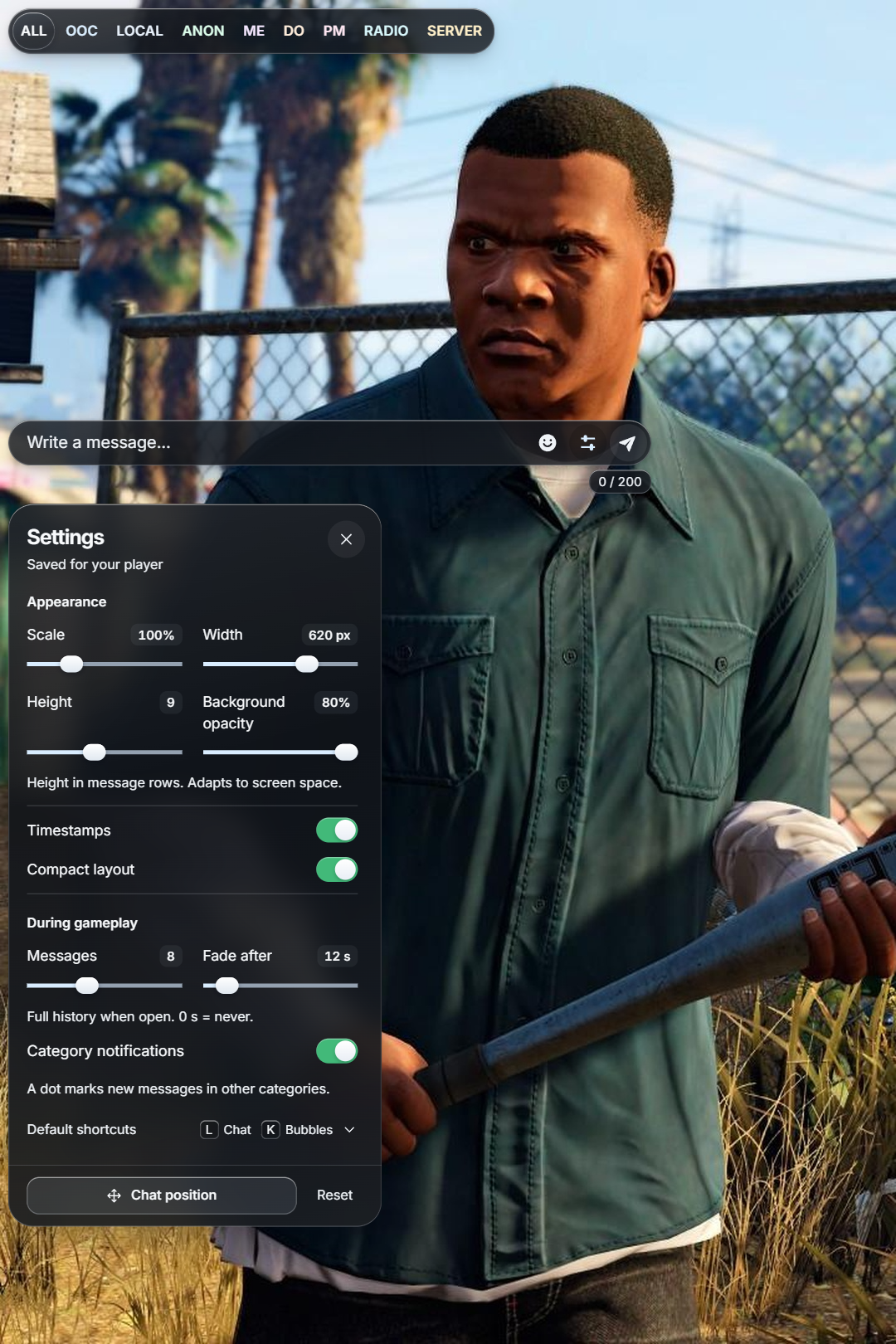
  • Player settings — scale, size, opacity, fade time, timestamps & compact layout, saved per player

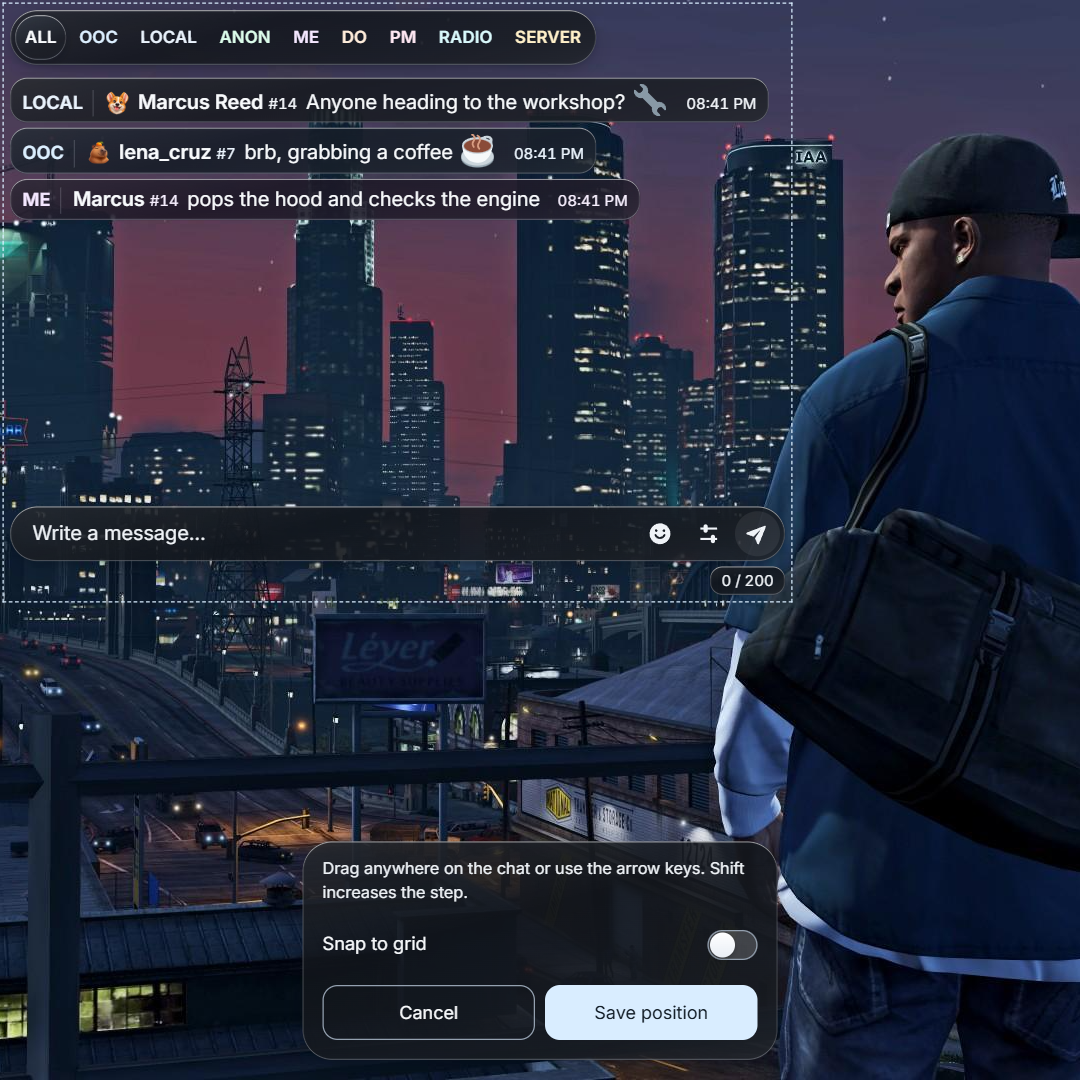
  • Placement editor — drag the chat anywhere, nudge it with arrow keys, snap it to a grid

  • Discord logs — per-channel webhook, colour & title, real ANON sender, PM logging opt-in

  • Drop-in replacement — chat:addMessage, templates, suggestions & exports.chat keep working

Compatibility

Frameworks

QBCore · QBox · ESX · custom adapter (auto-detected)

Database

oxmysql · mysql-async · ghmattimysql

Requirements

OneSync

Languages

EN · PL · DE · ES · FR · NL · CS · TR · AR · TH · ZH · PT

Drop it in. Done.

Auto-detects your framework and MySQL resource. Creates its own table on first start. Replaces the default chat with no glue code..

Verified Reviews

Reviews of F5 Studio

Real feedback from server owners about our scripts and support on Discord
5.0 f5_boost Review
f5_boost is one of those scripts that actually makes a noticeable difference. It works great, is easy to use, and you can genuinely feel the improvement in performance. The developer is also very engaged and clearly cares about the project and the feedback from the community. Definitely a script worth getting if you're looking to improve your server's performance. 10/10 highly recommended
Refresh
Jul 20, 2026
5.0 f5_safezones Review
f5_safezones is by far the most advanced and complete safezone system for FiveM! 🌟 The script works beautifully, and the support from F5-Studio is phenomenal. 🚀I reached out to the developer regarding a minor entity clipping bug and a roleplay suggestion, and they responded immediately to fix it. 🛠️ It is rare to find such high-quality open-source work with developers who truly care about user feedback. 💯¡10 out of 10 stars! ⭐⭐⭐⭐⭐⭐⭐⭐⭐⭐
Pablito
Jul 7, 2026
5.0 support Feedback
super!
Refresh
Feb 23, 2026
KNOWLEDGE BASE

FREQUENTLY ASKED
QUESTIONS

Compatibility, installation and updates. Find answers before you add a script to your server.

01
Can I try a script before I buy it?
Yes. Every product page has screenshots and video, and several scripts have a Live Preview you can click through right in your browser. Want to test on your own server? A 7-day subscription unlocks the whole F5 collection, and you can cancel it anytime from your Tebex payment history.
02
Will it work with my framework?
Yes. Our scripts detect ESX, QBCore, Qbox and ox_core on startup, along with oxmysql, mysql-async or ghmattimysql, the popular inventories (ox, qb, qs, tgiann, codem, ps) and ox_target or qb-target. Running a custom core? The bridge files are open, so you can wire it in yourself, and we’re happy to help on Discord.
03
What can I change in the Escrowed edition?
Everything you need to make it yours. Config files, translations and the bridge files that connect the script to your framework, inventory and target are all open. Only the core logic is locked by the official FiveM Asset Escrow, so your copy can’t be leaked or resold. Want every line? Pick the Open Source edition where one is available.
04
Can I use it on more than one server?
Yes. Your license belongs to your Cfx.re account, not to a single server. The script runs on every server whose key is registered to that account, including your dev and test servers.
05
Where do I find my script after buying?
In your Cfx Portal. Log in with the FiveM account you used at checkout, open Granted Assets and download the script. It arrives right after payment. Drop it into your resources folder and follow the setup guide in our docs.
06
Are updates free?
Always. Bug fixes, performance improvements and new features land in your Cfx Portal at no extra cost, and we announce every release on Discord so you never miss one.
07
What if something doesn’t work?
Reach us on Discord and talk directly to the developers who built the script. We usually reply within a few hours and stay with you until it runs. If the script doesn’t work on your server and we can’t fix it, you get your money back.
08
Can I move a script to another account?
Yes. Sign in to portal.cfx.re, open Granted Assets, find the script and use Transfer to send it to the other Cfx.re account. The license moves with it, so it leaves your account. Stuck? Message us on Discord and we’ll help.
F5 STUDIO

One spin per account

15% off or more.
Your first order.

Spin the wheel with your Cfx.re account. Your welcome spin always wins 15%, 20% or 35% off your basket.

Welcome spin15–35% off
Spin the wheel

Coupon valid for 3 days. 35% needs a €25 basket.